
Titan Dental Design v1.2.7 is here, and there's a lot of new AI in it.
This release adds a new Refinement flow, reusable shell and trimline presets, Treatment Plan Variants, an improved Direct Printing Shell, support for the 3Dconnexion SpaceMouse, and a good number of reliability and performance fixes. Here's what's new.
AI Photo and Cephalometric Analysis

Landmark placement is now automatic. When you upload frontal and profile photos, Titan finds and places the facial landmarks for you, so there's no manual landmark placement to do.
Titan also detects the landmarks on cephalometric X-rays, and your Ricketts, McNamara, and Steiner analyses now come with an AI-generated summary. We've also added frontal proportion measurements to the facial analysis.
Refinement Tools
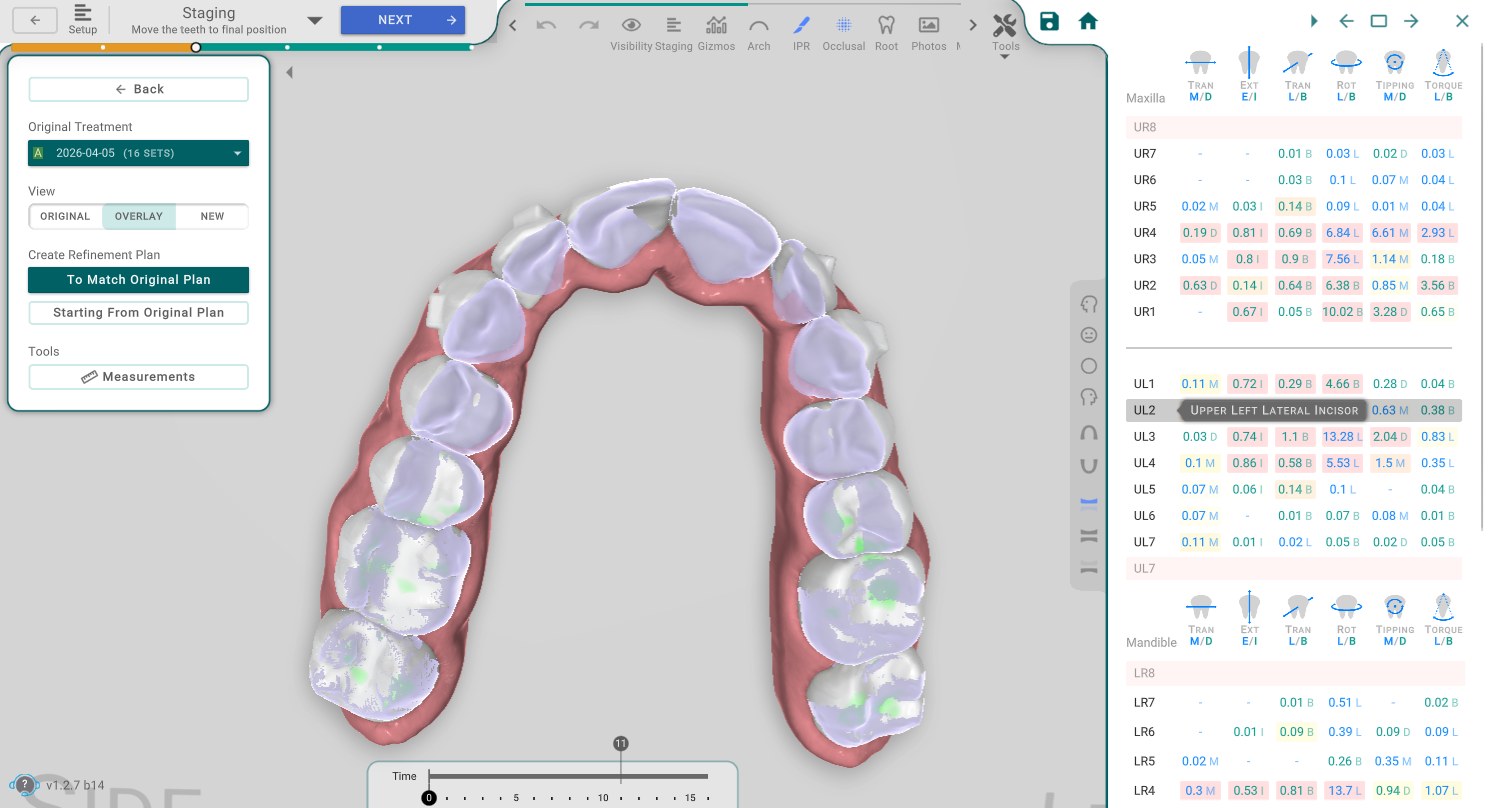
Refinement now has its own 3D flow with full timeline controls. It shows measurements right on screen that you can export to a file, and it lets you compare the current plan against other options side by side, so you can see exactly what changed.
That makes the final adjustments quicker to make and easier to explain to your team.
Treatment Plan Variants
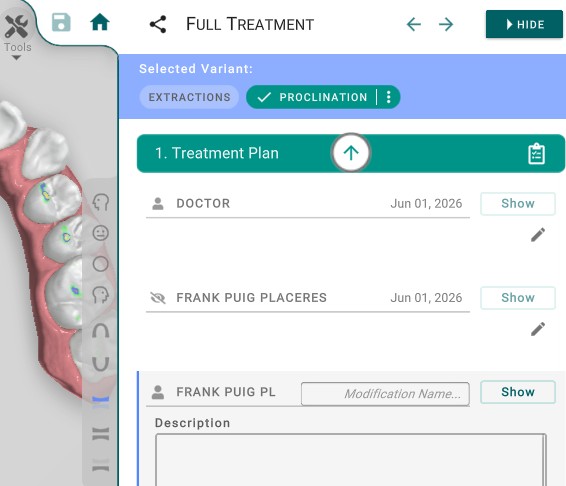
Planning orders can now include more than one Variant, so you can keep alternative treatment options for the same case in one place.
Lay out a few different approaches, compare them, and pick the one you want to go with.
Direct Printing Shell 2.0
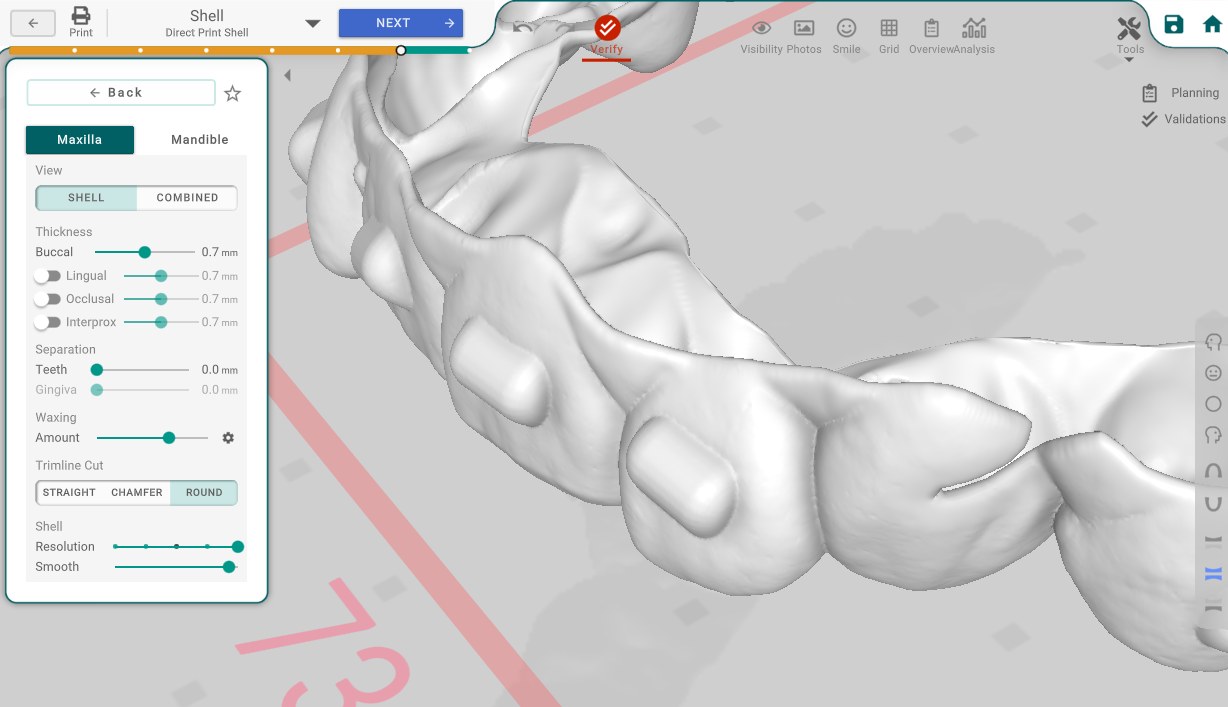
We've reworked how aligner shells are generated with Shell 2.0:
- Better smoothing for cleaner surfaces
- More consistent thickness across the aligner
- A more accurate fit
- A cleaner trimline
You can send jobs straight to your printer on both Mac and Windows.
3Dconnexion SpaceMouse Support

Titan now supports the 3Dconnexion SpaceMouse.
You can pan, zoom, and rotate your 3D models with the SpaceMouse while your other hand stays on the mouse for selecting and editing. It's a more comfortable way to work through a case.
Favorite Presets for Shell and Trimline

If you reach for the same shell and trimline settings on most of your cases, you can now save them as Favorite Presets and apply them in a single step.
Set the parameters the way you like once, save them, and reuse the preset on your next case instead of setting everything up again.
Panda Scanner Support

You can now import scans directly from the Panda Scanner, and they come in with the correct colors.
You no longer have to download your scans by hand and import them into Titan. Connect once, and your Panda scans show up in Titan in seconds, ready to plan.
Smarter CBCT Import
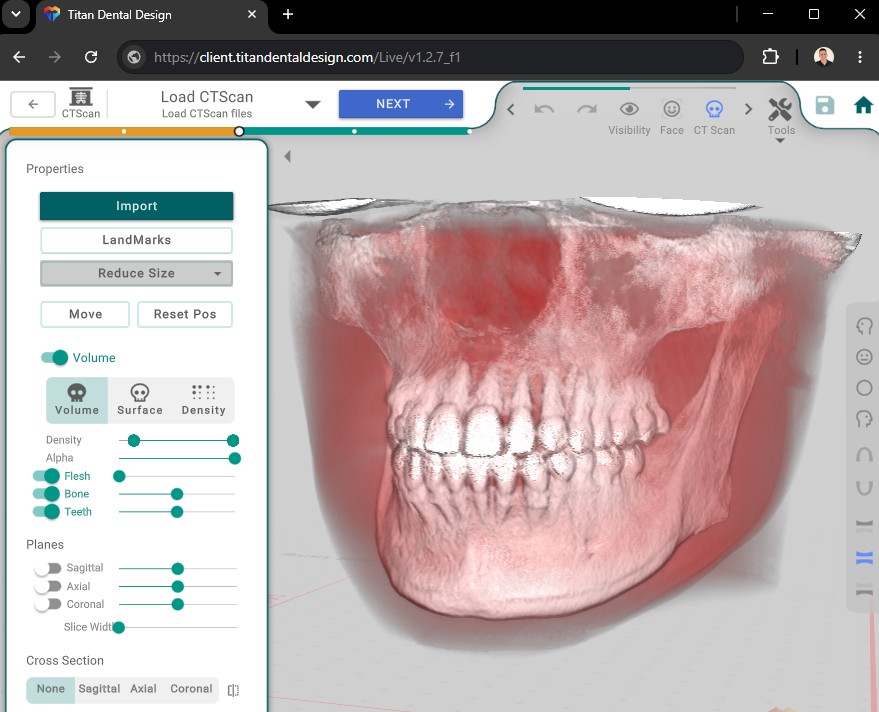
Working with large CBCT data is easier now:
- Downscaling options so you can open large scans on lower-memory devices and on the web
- Reliable loading of compressed (zip or gzip) scan files
- Support for files whose names contain non-UTF-8 characters
Improvements Across the Board
We also fixed and improved a lot of smaller things:
- Auto-reconnect after an internet drop, so you don't have to restart the app
- Offline planning now syncs cleanly once you're back online
- A faster, more stable web viewer. Shared links keep working when the browser tab is in the background, and they work behind restrictive office firewalls
- IPR keys now reshape the gum tissue instead of leaving gaps
- Export your Statements to CSV with one click
- Wallet automatic reload now works correctly, and payments are more reliable
- Overcorrection is now applied correctly to teeth that finish moving before the last stage
- Support for MaxFlex trimmers, including correct subtractive trimguide geometry and dimensions in the exported STL
- Improvements to the lab flow, including the AI Assistant in planning links, an automatic white-labeling flow, and more viewer customization options
Wrapping Up
That's a quick tour of v1.2.7. Between the photo analysis, the new Refinement tools, Treatment Plan Variants, and Shell 2.0, there's plenty here to save you time, and the reliability and web fixes should make day-to-day work steadier.
Update to v1.2.7 whenever you're ready, and let us know what you think.