Roots and Spacing
In this step, the user must correct the position of the tooth roots to provide a logical location that avoids collisions. By selecting a tooth, it is possible to move the top of the root and adjust its inclination. The buttons available are:
- Symmetric - to modify the orientation of the tooth and its opposite counterpart symmetrically
- Individual - to adjust the orientation of the selected tooth root
- Reset - to restore the initial orientation of the selected tooth root
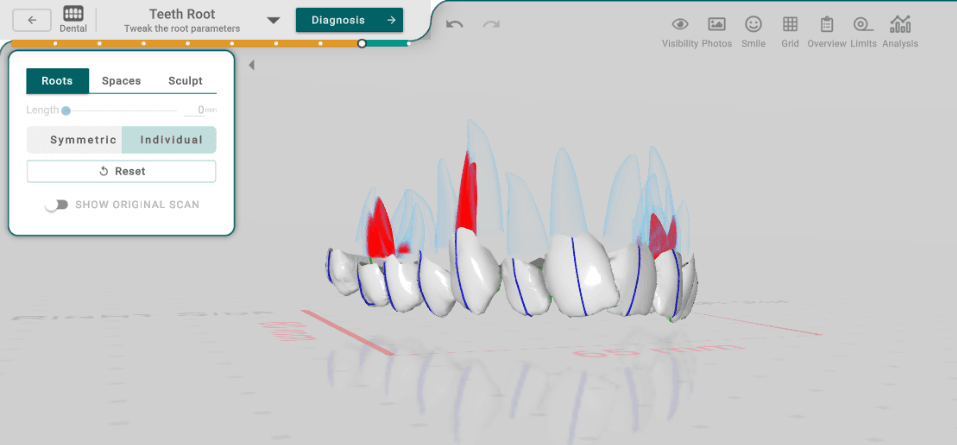
It has many tools that are useful for adjusting the roots of teeth, such as Root Awareness.
Titan provides advanced tools to gain detailed root location information in dental scans, including collision warnings and heatmap visualizations to ensure successful treatment planning.