Account Setup
Registration Process
To create an account in the software, first, you need to register by providing your email address and a secure password. Ensure that the password meets security requirements, such as including uppercase and lowercase letters, numbers, and special characters. Once you have completed the registration form, click the "Register" button to submit your information. You will receive a confirmation email at the address you provided.

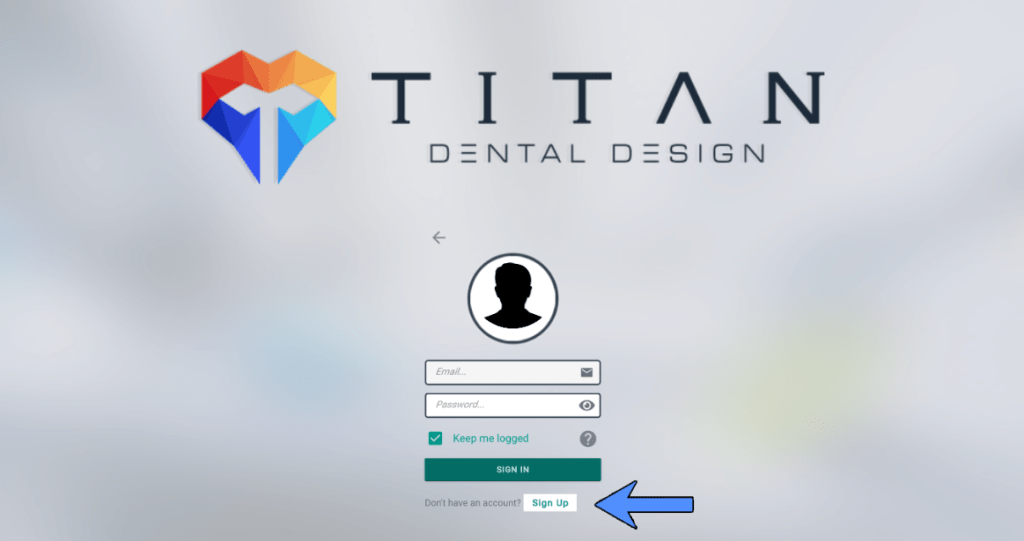

Email Verification
The next step is to access your email and look for the confirmation message sent by the software. Open the email and click on the verification link within the message. This link will redirect you to a confirmation page in the software, indicating that your account has been successfully verified. This step is crucial to ensure that your email address is valid and that you can receive important notifications.
Logging In
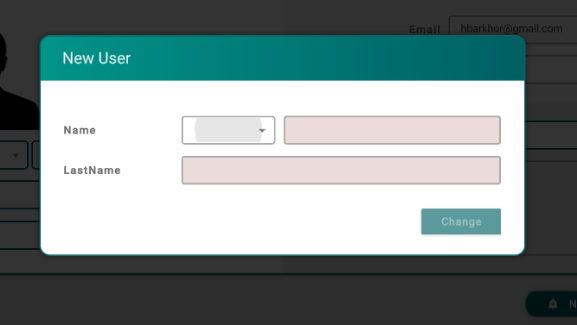
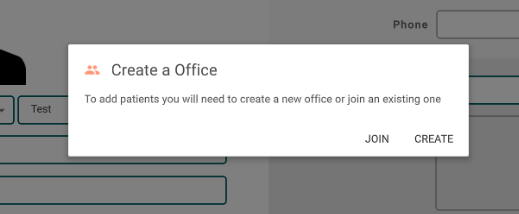
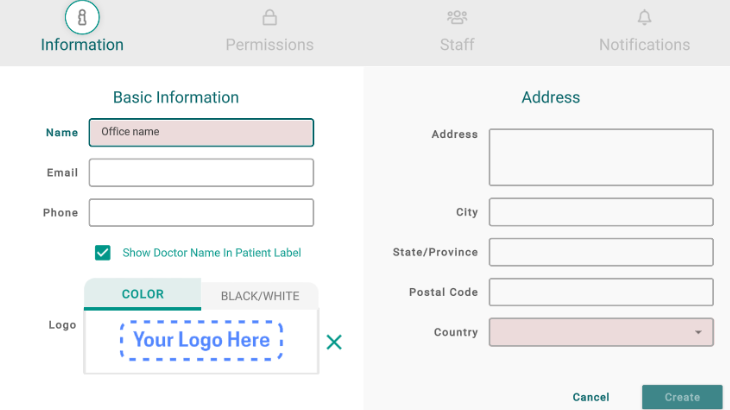
Finally, return to the software and log in using your email address and the password you created. Upon logging in, you will be redirected to the main page of the software, where you can start using all its features. Next, you will be prompted to enter your name. After that, you need to decide whether you want to create your own office. If you choose to do so, you will be taken to the office creation screen, where you must register the office name and its geographical location, specifying the country.
Now you are ready to explore and make the most of all the tools the software offers!