Ideal Arch
The ideal arch is a reference curve — an arch-shaped guide that shows where a well-aligned arch should run. You turn it on to line the teeth up against it while you plan. In Titan, the ideal arch is a tool on the toolbar at the top of the viewer, used in the treatment phases.
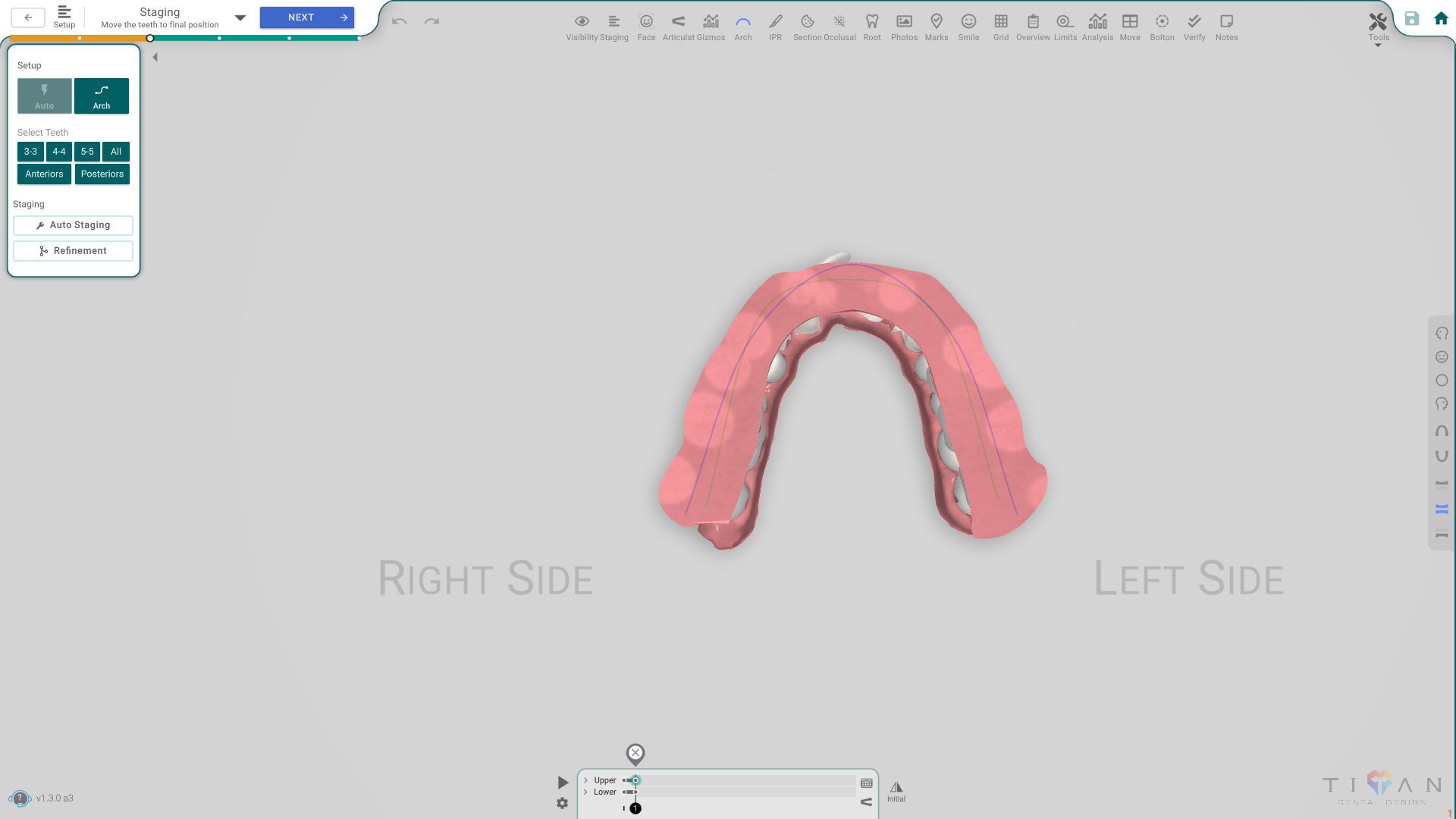
Open it
In the 3D View, in the Setup or Staging phase, press the Arch button on the top toolbar. A smooth reference curve appears across the arch. Press the button again to hide it.
Shape the curve
The ideal arch isn't fixed — you can shape it to the arch form you want:
- Symmetry mirrors the curve left-to-right, so both sides match.
- Curve of Spee adds the natural front-to-back curve to the bite.
- Alignment lines the teeth up evenly along the curve.
Move the teeth to the curve
On its own, the arch is just a guide. Turn on Move teeth with spline and the teeth are moved onto the reference curve as you shape it — a quick way to bring a crowded or uneven arch into a clean form.
Good to know
- With the Always / Arch option you choose whether the curve is always shown or only while the arch is visible.
- The Widgets toggle shows or hides the handles on the curve.
- The Arch tool is an overlay: turning it on doesn't close the phase's panel, so you can keep working while you check the arch form.