IPR
IPR stands for interproximal reduction — also called stripping. It's the small amount of enamel taken from between two neighbouring teeth to make a little room inside the arch, so crowding can be resolved without taking a tooth out. In Titan, IPR is a tool on the toolbar at the top of the viewer, used in the treatment phases.
Open it
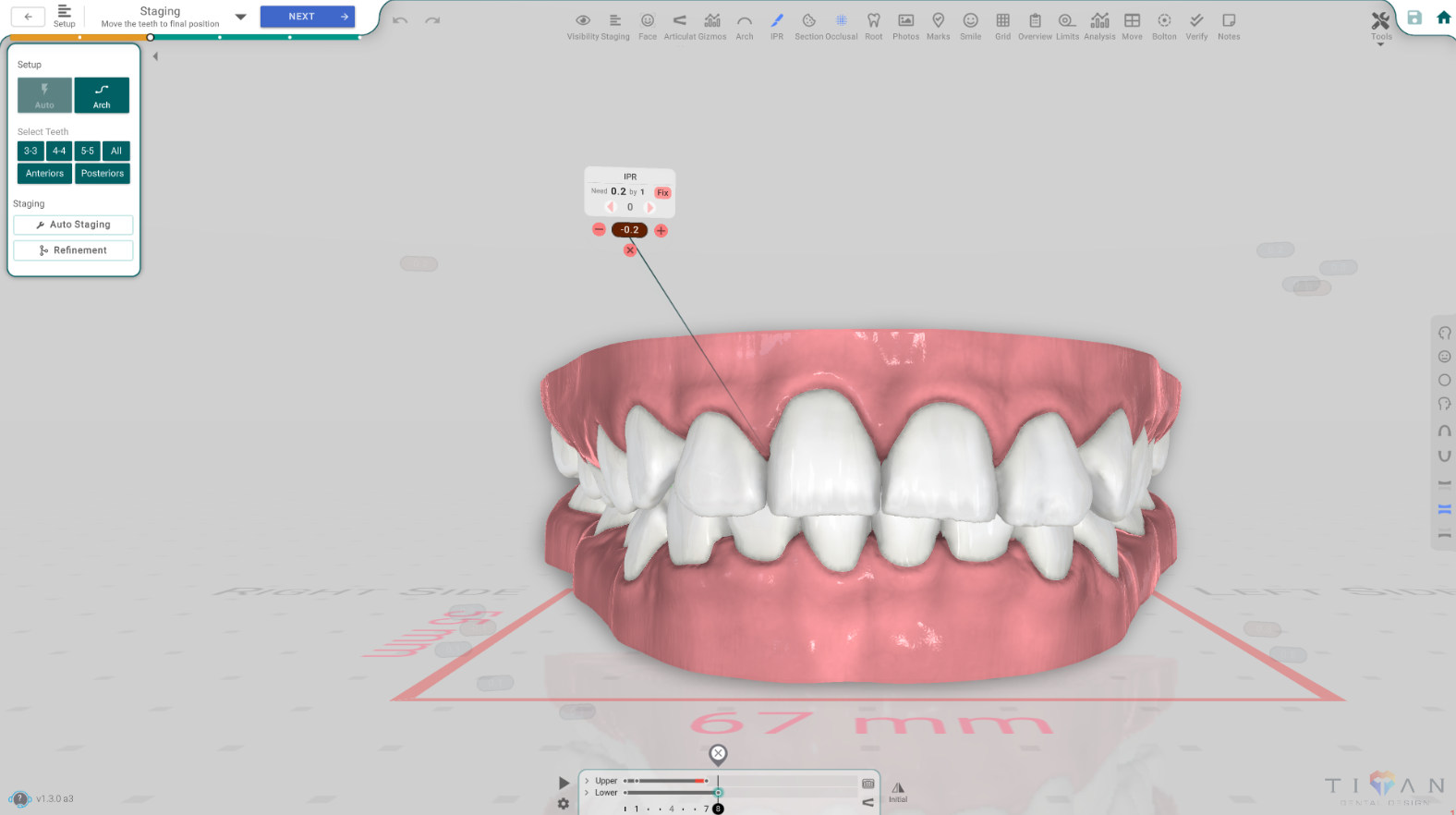
In the 3D View, in the Setup or Staging phase, press the IPR button on the top toolbar. A small widget appears on each contact between the teeth, showing how much reduction is needed there and at which aligner step — for example, "Need 0.2 by 7" means 0.2 mm of reduction, to be done by aligner step 7. Press the button again to hide the widgets.
Read a contact
Each widget sits on the contact between two teeth and tells you:
- How much reduction that contact needs, in millimetres.
- By which step it should be done.
Use the − / + on the widget to change the amount, and the step selector to change when it's done. If you turn on the IPR keys toggle you see the planned amounts; Spacing shows the raw gap or overlap between the teeth, and Mid-treatment flags contacts that collide part-way through the plan.
When a contact asks for too much
There's a safe limit on how much enamel can be reduced, and it's different for the front teeth and the back teeth. If a contact asks for more than the limit, Titan flags it, and the Fix action replans that contact to bring the reduction back within the limit. You can also make room another way — by widening the arch or tipping the teeth forward slightly — instead of reducing more.
Good to know
- The amount isn't guessed — it comes from how much the two teeth overlap once they're in their planned positions.
- IPR only ever removes enamel, so a reduction can't be a negative number.
- Each reduction is tied to the aligner step it should be carried out at.
- IPR is an overlay: turning it on doesn't close the phase's panel, so you can keep working while you check the contacts.