Finances
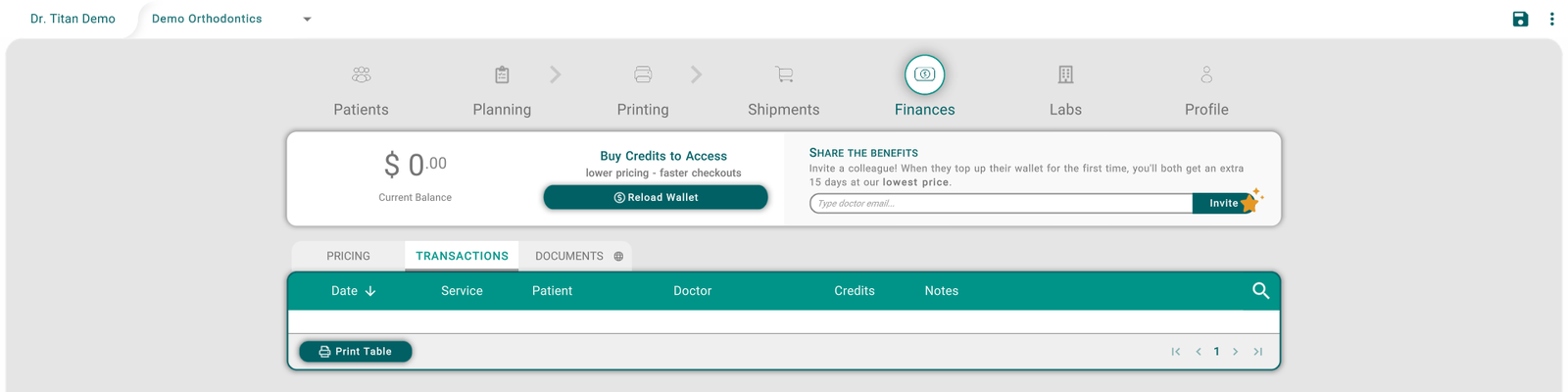
The Finances tab shows your office's wallet: your credit balance, how to buy more credits, and the prices of the labs you work with. It also lists every credit movement and gives you your statements.
Your balance and credits
The card at the top shows your Current Balance. Click Reload Wallet to buy credits. The balance updates by itself after a purchase, and when you switch office at the top of the screen.
Invite a colleague
Under SHARE THE BENEFITS, type a colleague's email and click Invite. The card explains what you both get when they top up their wallet for the first time. If the colleague already uses Titan, or another doctor already invited them, no invitation is sent.
See the prices
PRICING shows a section for each lab you work with, including your own office (In House). Each card is a service with its price.
The ALIGNERS bar shows how prices change with the number of aligners your office orders. Click a step, such as < 1000, to preview the prices at that volume; Next shows the prices of the top level. Previewing doesn't change anything on your account. Click the arrow next to the month to see the aligners counted in earlier months.
Click the i on the right of a lab's header to open that lab's information. See Remote Labs.
Review your transactions
Click TRANSACTIONS to see every credit movement, newest first: its Date, the Service, the Patient, the Doctor, the Credits, and the Notes. Use the search icon to filter the list.
Get your statements
Click DOCUMENTS, or Print Table on the Transactions page. Your statements open in your web browser.
Tips
- Reload Wallet is greyed out? Your role can't buy credits. Ask your office manager.
- The balance or prices look wrong? Check the office name at the top: each office has its own wallet.
- Titan asks you to allow pop-ups? In the web version, statements open in a new browser tab. Allow pop-ups for Titan, then click again.
- The prices on the cards don't match your bill? The ALIGNERS steps only preview prices. Ask the lab what you're billed.
- The Finances tab is missing? It depends on your role and on how your lab set up your account. Ask your office manager.