Measurements
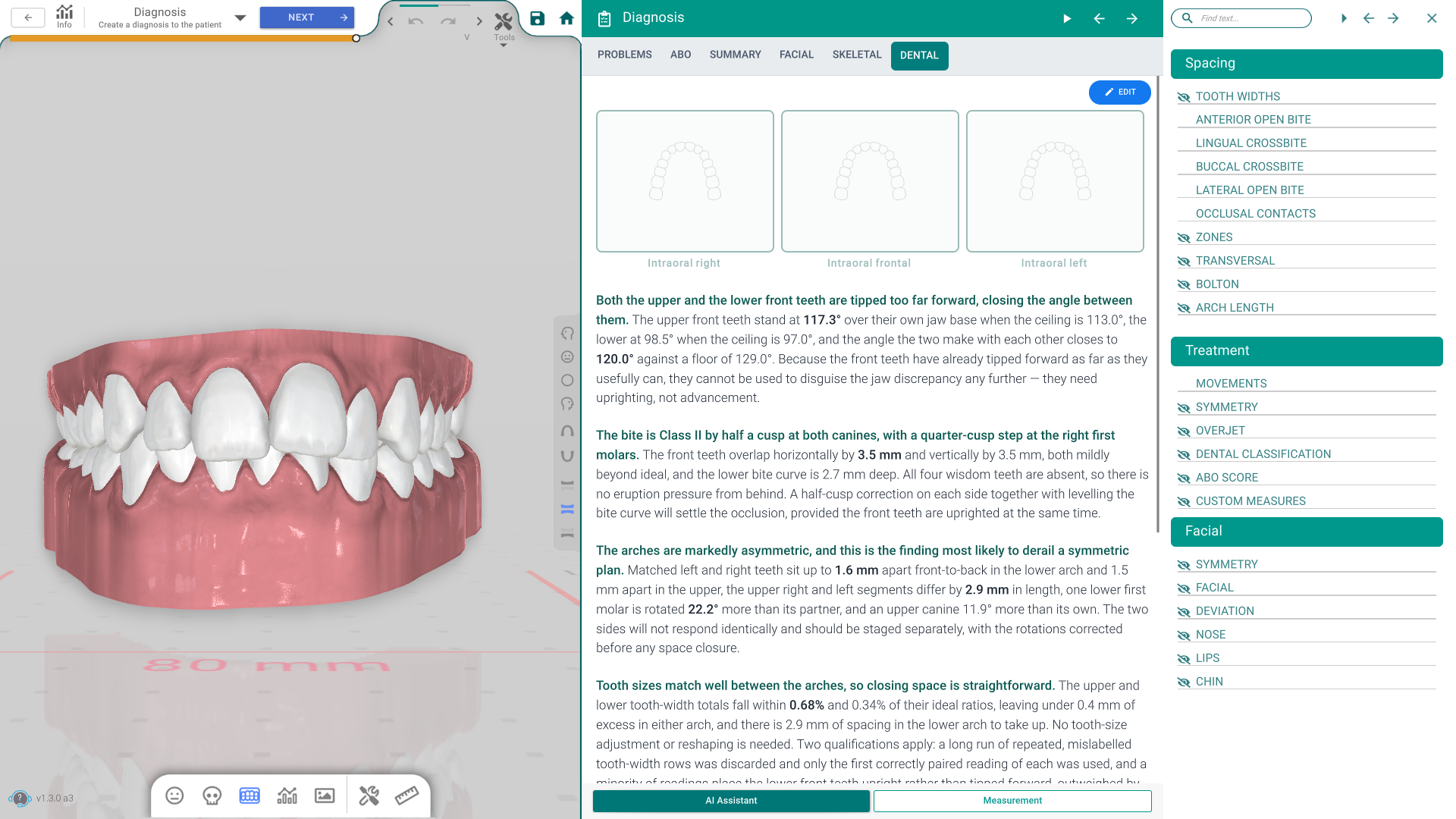
The Measurements popup gathers every measurement Titan can read off the model into one scrollable list. Each measurement sits in its own section you can expand, read and — for most of them — show on the teeth with a single click. It is a read-out, not an edit: nothing here moves a tooth.
Open it
- From the 3D top toolbar — the Analysis, Measurements, Table and Bolton buttons all open the same popup. Table jumps to the Teeth Movement section and Bolton to the Bolton section.
- Automatically, during the Diagnosis step.
The popup can appear in two forms. Over the 3D model it lists the arch measurements (Spacing, Treatment and Facial). When you are working from photos instead — with no 3D model on screen — it lists the cephalometric and facial photo analyses; pick one from the analysis selector at the top.
Spacing
The arch and bite measurements:
- Tooth Widths — each tooth's width or length (switch with the Width / Length tabs).
- Anterior & Lateral Open Bite, Lingual & Buccal Crossbite — the bite findings.
- Occlusal Contacts — where the arches touch.
- Zones and Transversal — arch zones and side-to-side width.
- Bolton — the Bolton tooth-size ratio (3-3 or 6-6).
- Arch Length — the arch length (3-3 or 6-6), measured along an Exact, Best Fit or Custom curve.
Treatment
The planned-movement measurements:
- Movements — how far each tooth moves; choose the origin (from start, from the previous key, or from the previous aligner) and switch between a distance and a speed limit.
- Symmetry — frontal symmetry, with Frontal / Side / Vertical / Angles tabs.
- Overjet and Dental Classification — the bite relationship.
- ABO Score — the ABO discrepancy index.
- Custom Measures — your own measurements (see below).
Facial
With a face scan, the facial measurements: Symmetry (Horizontal / Vertical), Facial, Deviation, Nose, Lips and Chin. These are skipped when no face scan is selected.
Show a measurement on the model
Every section has a title you click to expand it, and most have an eye icon beside the title. The eye shows or hides that measurement's gizmos — the lines and labels drawn on the teeth — so you can bring up just the one you want to look at. A few sections (Occlusal Contacts, Movements, ABO Score) have no eye.
Custom Measures
Custom Measures lets you add your own measurement — a distance between two points, or an angle — straight on the model, alongside the built-in ones.
Good to know
- The measurements are read on the scan's starting position (stage 0), so they describe the case as it came in.
- The popup remembers its state briefly, so closing and reopening it keeps what you had open.