Remote Labs
The Labs tab lists the partner labs that can work for your office: labs that plan treatments, print aligners, or both, so you don't have to do that work in-house. Open a lab to see its information and prices, read what other offices think of it, and subscribe to it.
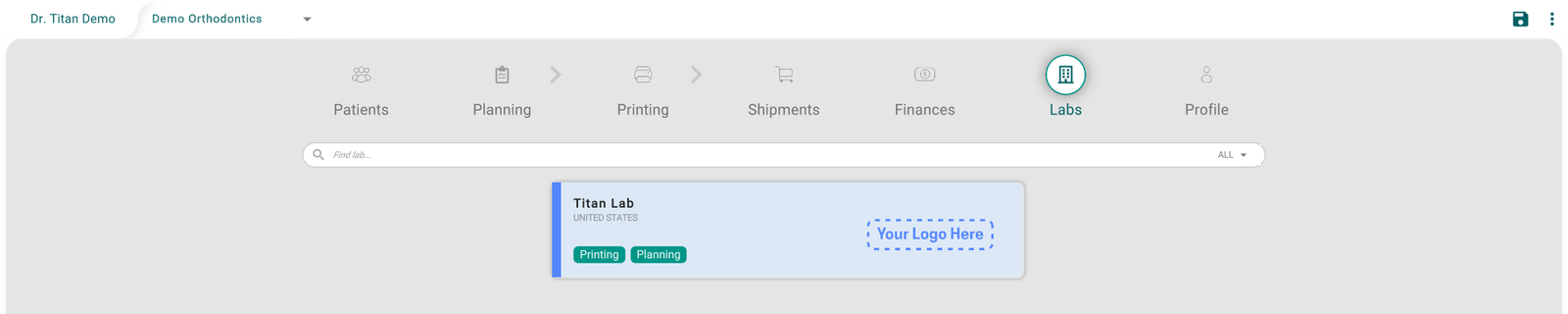
Find a lab
- Type part of the lab's name in Find lab....
- Use the ALL menu to show only labs that do Printing, Planning, or Both.
Each card shows the lab's name, its country, what it does (Printing, Planning), the lab's own highlights in grey (for example "Fast turn Around Times"), and its rating from other offices. Only the labs that serve your office's country are listed.
See a lab's information and prices
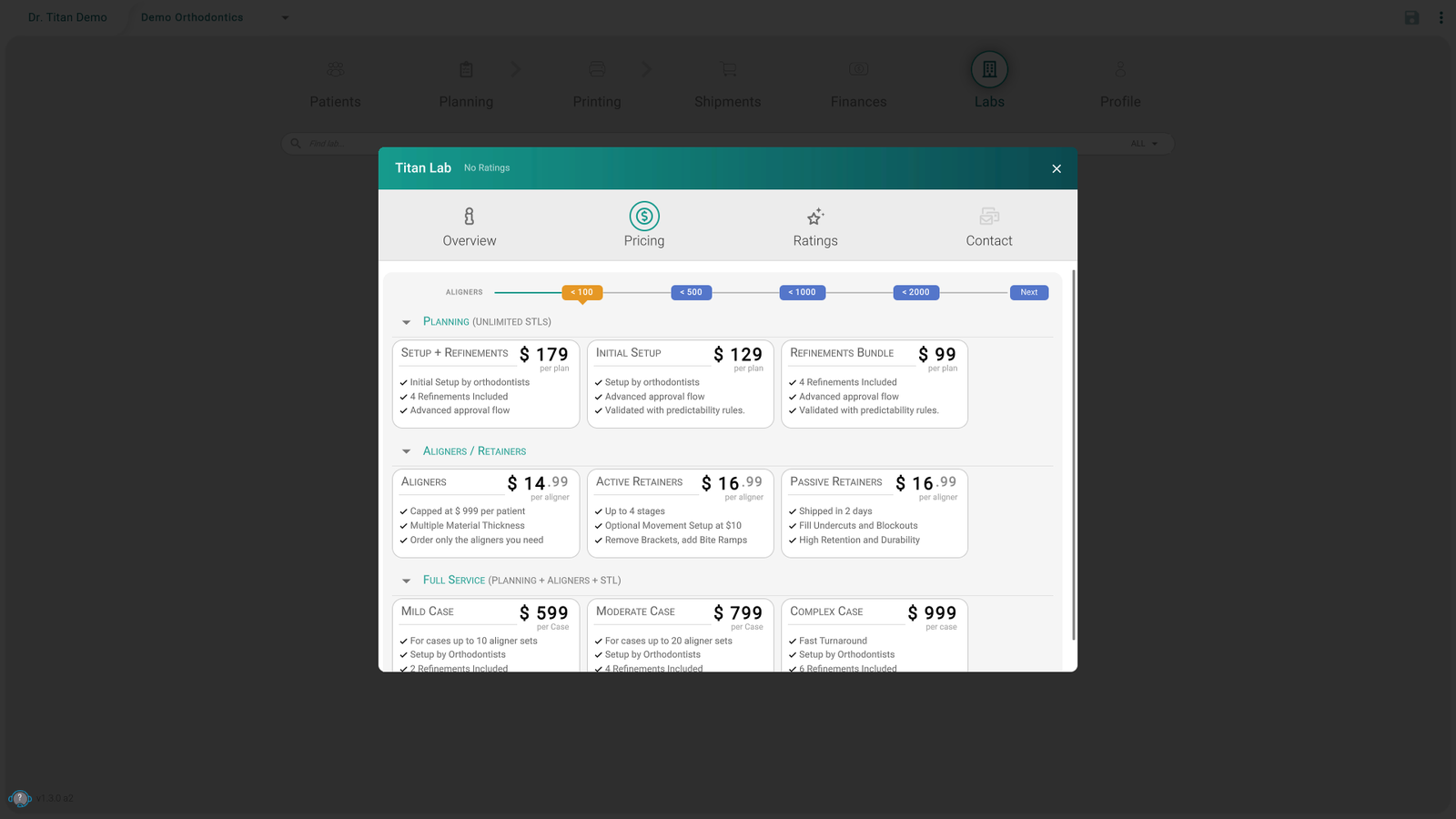
Click the lab's card. A window opens with these tabs:
- Overview: the lab's address, what it does, its description, and its website, email, and phone.
- Pricing: the lab's prices, grouped by service. The ALIGNERS bar shows how prices change with the number of aligners you order: click a step, such as < 500, to see the prices at that volume.
- Ratings: reviews from other offices.
Subscribe to a lab
To send your work to a lab, subscribe to it first:
- Open the lab and stay on Overview.
- Click Subscribe.
- Some labs approve every request at once. Others review it first: confirm with Submit, and your request stays pending until the lab approves it.
To stop working with a lab, open it and click Unsubscribe.
Titan Lab works for every office without a subscription, so its window has no Subscribe button.
Review a lab
Once you've been subscribed to a lab for at least a day, you can rate it:
- Open the lab and click Ratings.
- Click Your evaluation at the bottom.
- Pick the stars, add a comment if you like, and click Submit.
Tips
- A lab is missing? Clear the search box and set the menu back to ALL. Labs that don't serve your country aren't listed.
- No Subscribe button? It only shows on the Overview tab, and never for Titan Lab.
- The button says Pending? The lab hasn't approved your request yet.
- The button didn't change after you subscribed? Close the window and open the lab again.
- The Labs tab is missing? It depends on your role and on how your lab set up your account. Ask your office manager.