Supports
Supports are the scaffolding printed under the model to hold it in place while it prints — you snap them off afterwards. The Supports step is where you generate and tune them.
Open it
In the 3D View, go to the Supports step, one of the printing steps.
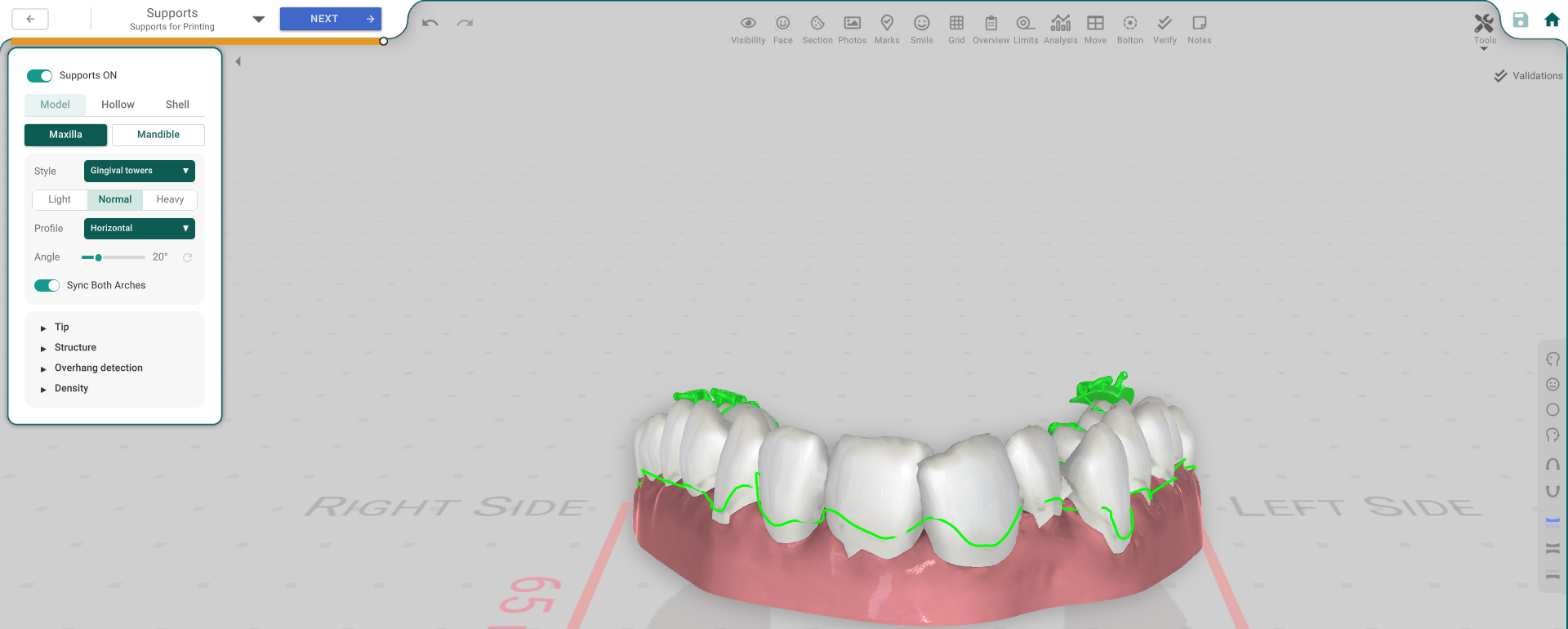
The panel, button by button
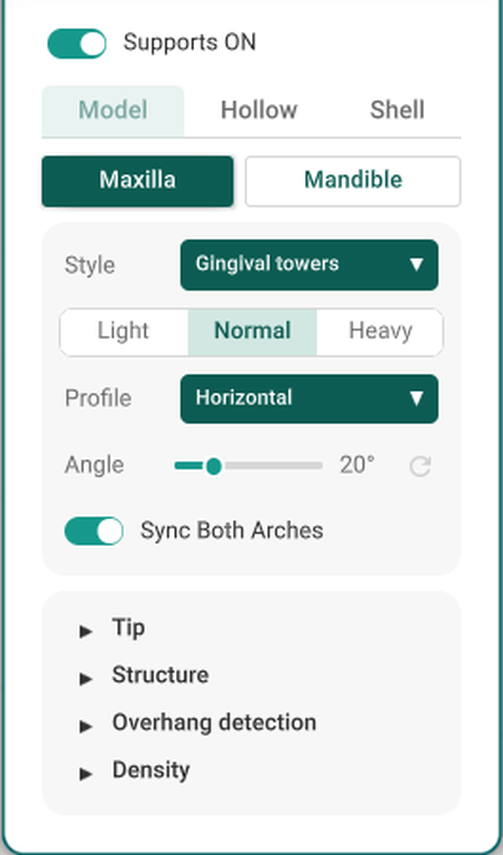
- Supports ON — turns support generation on.
- Model / Hollow / Shell — which model the supports are drawn against.
- Maxilla / Mandible — which arch you're tuning.
- Style — the kind of support (for example, Gingival towers).
- Light / Normal / Heavy — how dense and strong the supports are.
- Profile — the angle profile the supports follow (for example, Horizontal).
- Angle — the exact angle for that profile.
- Sync Both Arches — mirror these settings to the other arch.
- Tip / Structure / Overhang detection / Density — tuning rows for each region.
Tune by region
The tuning rows let you adjust the supports in one area without changing the rest — a custom value overrides the style's default for that region.
Good to know
- The supports print with the model and snap off afterwards.
- The view toggle only changes what the supports are shown against; it doesn't change the supports.