Ideal Arch
The Ideal Arch panel gives you tools to line the teeth up and resolve spaces against the arch form — a range picker, a snap-to-arch action, vertical levelling, and six space-resolving tools.
Open it
In the 3D View, in the Setup or Staging phase, press the Arch button on the top toolbar. Press the button again to close the panel.
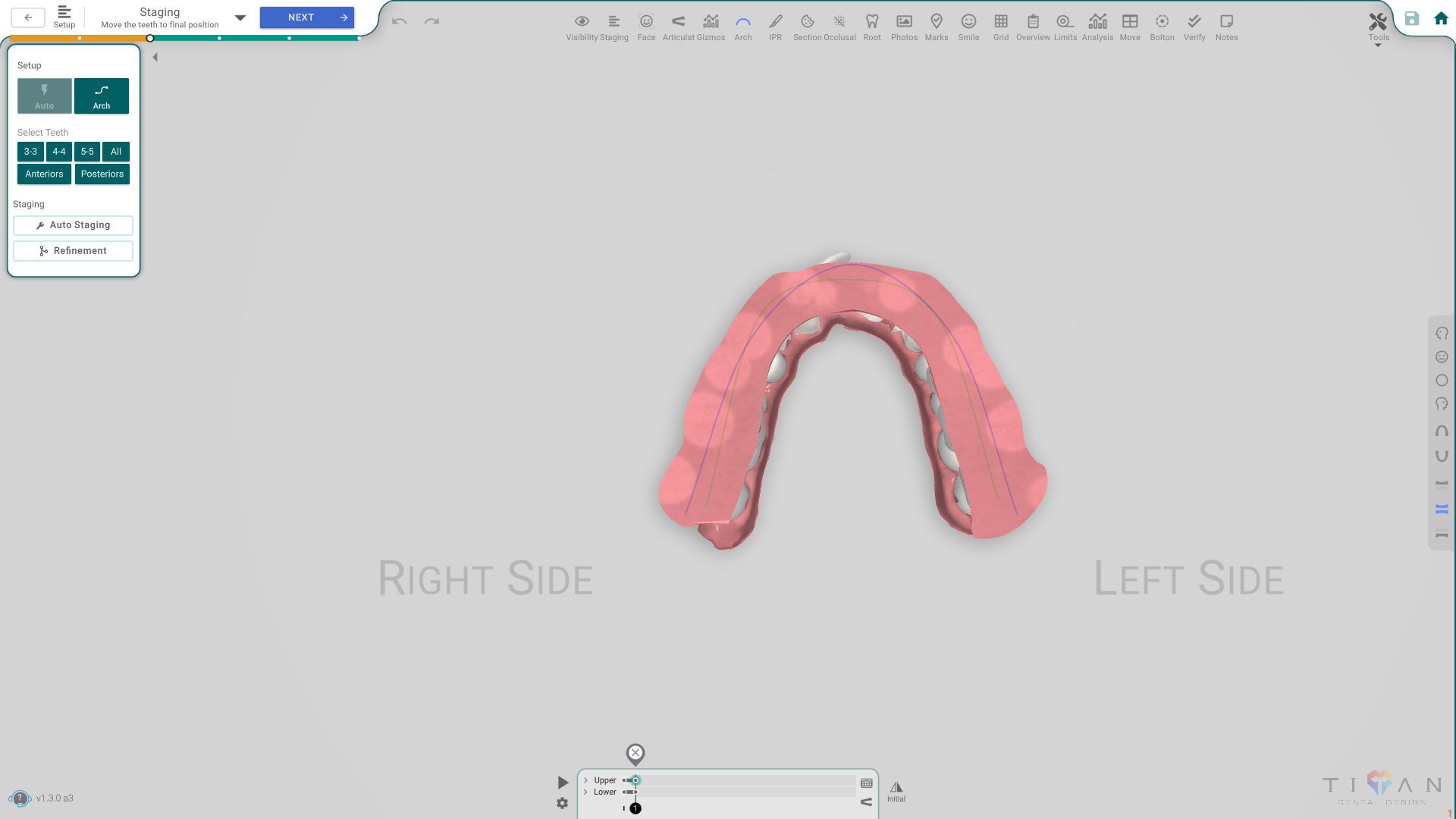
The panel, button by button
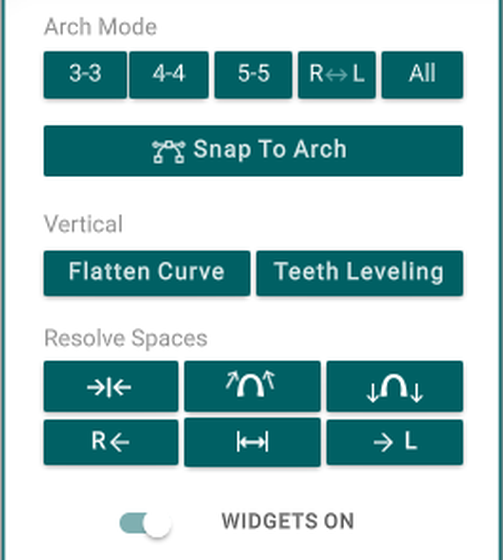
- Arch Mode — 3-3 / 4-4 / 5-5 / R↔L / All — pick which teeth the tools below act on.
- Snap To Arch — moves the selected teeth onto the arch form.
- Flatten Curve — levels the curve of Spee.
- Teeth Leveling — levels the selected teeth vertically.
- Resolve Spaces — six tools that close or redistribute spacing: close the gap, mesialize, distalize, align left, spread evenly, and align right.
- Widgets ON/OFF — show or hide the handles on the arch curve.
Good to know
- The Arch tool is an overlay: turning it on doesn't close the phase's panel, so you can keep working while you check the arch form.