Tooth
When you select a tooth in Setup (or Staging), its own panel opens — the panel that moves the tooth. It has three tabs: Tooth (the movement controls), Tools and Guides. This is the panel you use most while planning a case by hand.
Open it
In the 3D View, go to the Setup step and click a tooth. The Tooth panel follows the selected tooth.
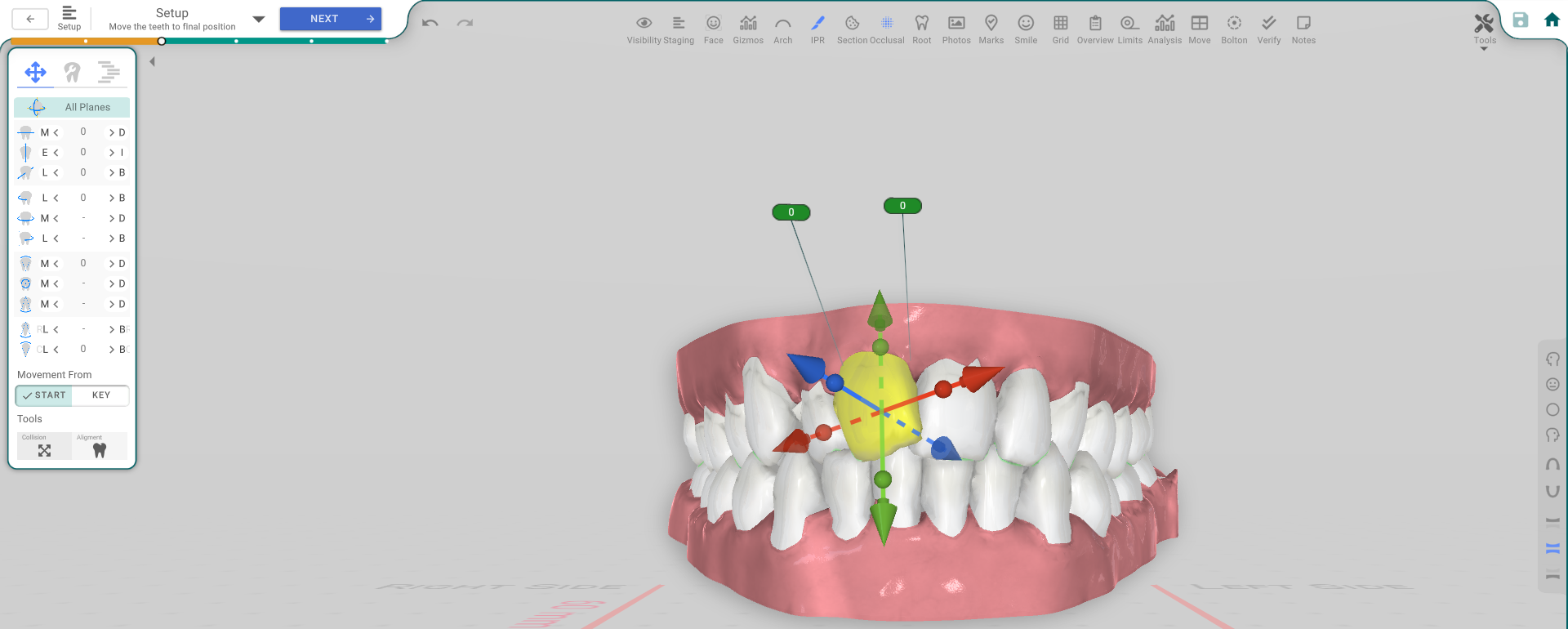
Moving the tooth (Tooth tab)
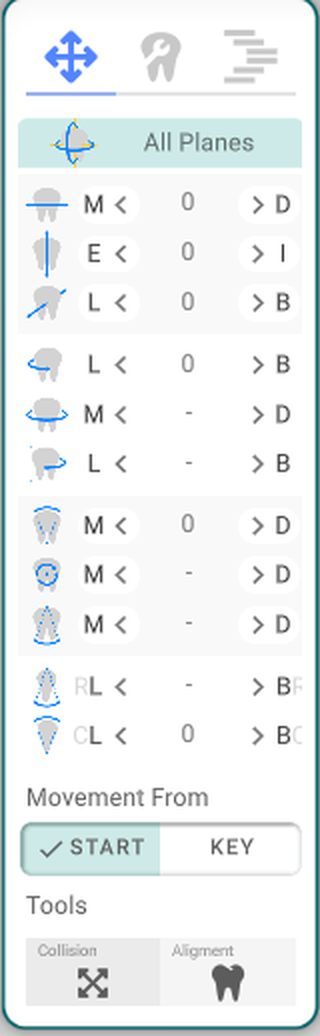
- All Planes — move the tooth freely by dragging the widget on the model.
- M / D — move the tooth mesially or distally (along the arch), with −/+ step buttons and the current value.
- E / I — extrude or intrude the tooth (up or down).
- L / B — move the tooth lingually or buccally (in or out).
- Rotation — rotate the tooth around its long axis.
- Tipping — tip the tooth mesiodistally.
- Torque — torque the tooth bucolingually.
- Movement From — Start / Key — switch whether the amounts are measured from the start position or from the current keyframe.
- Collision / Alignment (under Tools) — help you place the tooth cleanly against its neighbours.
Tools tab
- Show Arch — show the arch form to line the tooth up against.
- Select Teeth — select Anteriors or Posteriors at once.
- Resolve Spaces — close or distribute the spaces.
- Extract — mark the tooth for extraction.
- Lock / Unlock — lock the tooth so it can't be moved, or unlock it.
Selecting several teeth at once
To move a group of teeth together, select more than one before moving:
- Ctrl-click each tooth to add it to the selection.
- Shift-click a tooth to select every tooth between it and your last pick.
- Or use the range buttons in the side panel — 3-3, 4-4, 5-5, All, Anteriors, Posteriors.
With several teeth selected, the Tooth panel's movement controls apply to all of them together.
Guides tab
Set the Spacing and use the placement guides to position the tooth, and Select Teeth (All, Molars Left, Molars Right).
Good to know
- A locked tooth is veiled and can't be moved — unlock it on the Tools tab first.
- The controls are greyed out without the treatment-edit permission.
- This panel appears only while the teeth can move (Setup or Staging).