Movement Limits
Set how far and how fast each tooth is allowed to move per aligner, for this patient's treatment.
Open it
In the 3D View, click Limits on the top toolbar, on any teeth-treatment step (Setup, Staging, and others).
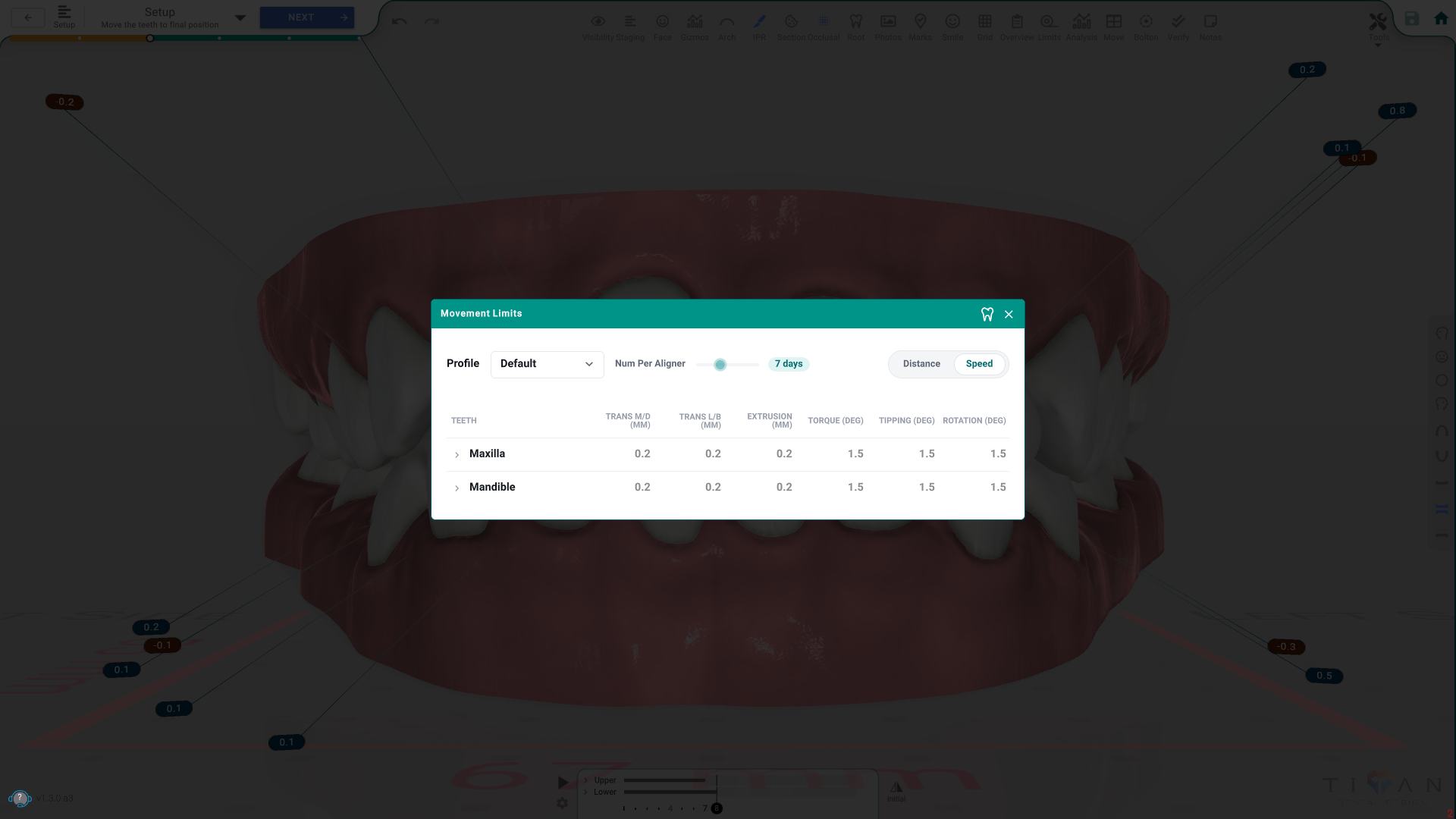
The panel, control by control
- Profile — pick which limits profile applies, or New / Rename / Delete one of your own.
- Num Per Aligner — how many days each aligner is worn.
- Distance / Speed — switch the table between distance limits and speed limits.
- Maxilla / Mandible rows — expand an arch, then a category, down to a single tooth, to see or edit its movement limits (Trans M/D, Trans L/B, Extrusion, Torque, Tipping, Rotation).
Good to know
- The Default profile and another doctor's profile can't be edited — create your own profile first.
- Switching profiles changes this treatment's staging, not just how it's displayed.
- These are the limits the Validations check uses for things like "Unsafe Movement Speed".
- If Limits isn't on the toolbar, it isn't one of your favorites, or your lab hid it.