Bracket
When you select a single bracket of an indirect bonding — one of the anchors that holds the wire — its own panel opens: the bracket you're using, its rotation, and, for a Tunnel Attachment anchor, its size.
Open it
In the 3D View, go to the Attachments step, select an indirect bonding, and click one of its brackets.
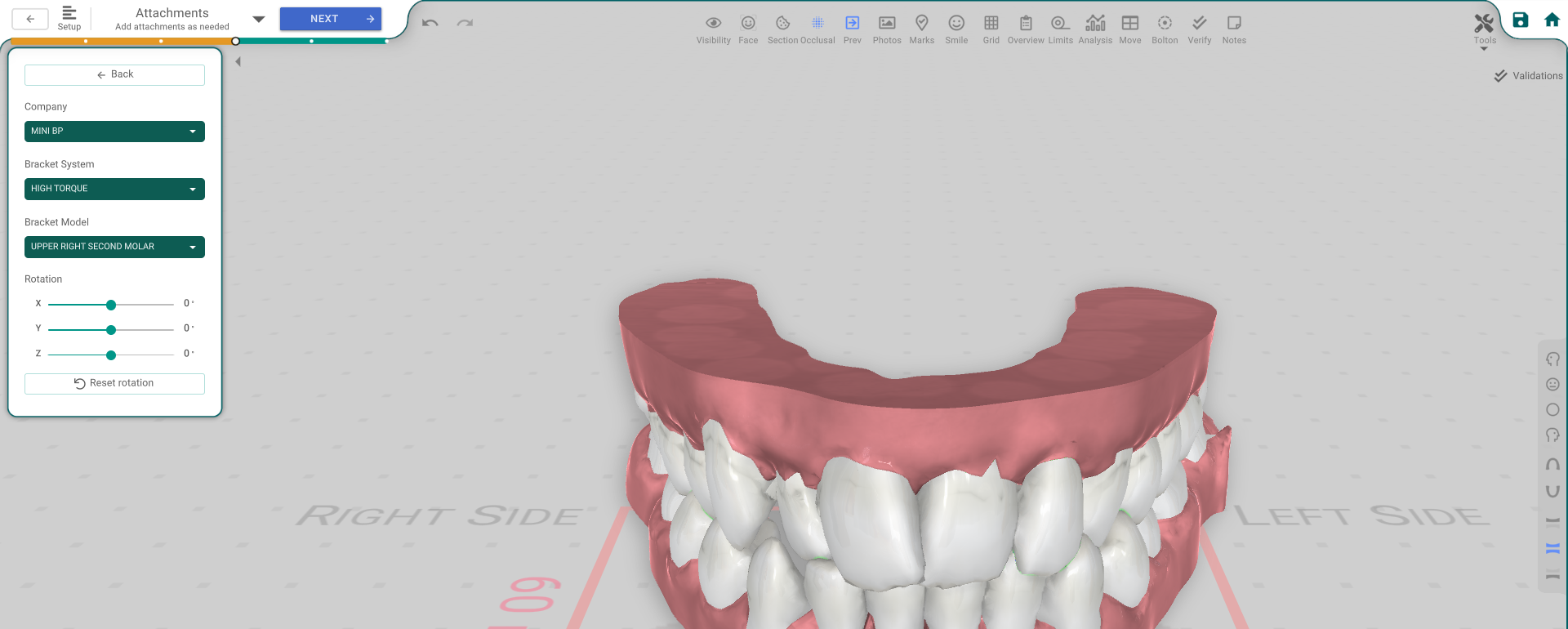
The panel, button by button
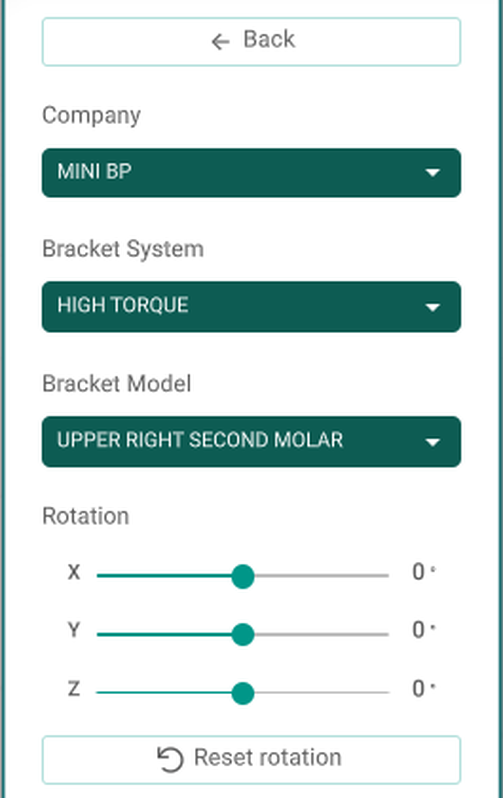
- Back — deselects the bracket.
- Company / Bracket System / Bracket Model — pick the bracket for this anchor. Changing the company clears the system — pick one of the new company's systems.
- Rotation — X / Y / Z — turn the bracket by hand.
- Reset rotation — undo any manual rotation.
- Size Override — Width / Height / Length — only for a Tunnel Attachment anchor; overrides the anchor's default size. Other bracket types don't have this.
Good to know
- Rotation and Size Override are greyed out while the attachments are locked, or without the treatment-edit permission.