Attachment Analysis
The Attachment Analysis is the diagnostic at the bottom of the Attachments panel. It looks at how each tooth is planned to move, works out what each tooth needs an attachment for, and colours the teeth by that purpose. It is also what Automatic Placements uses to place attachments for you.
Open it
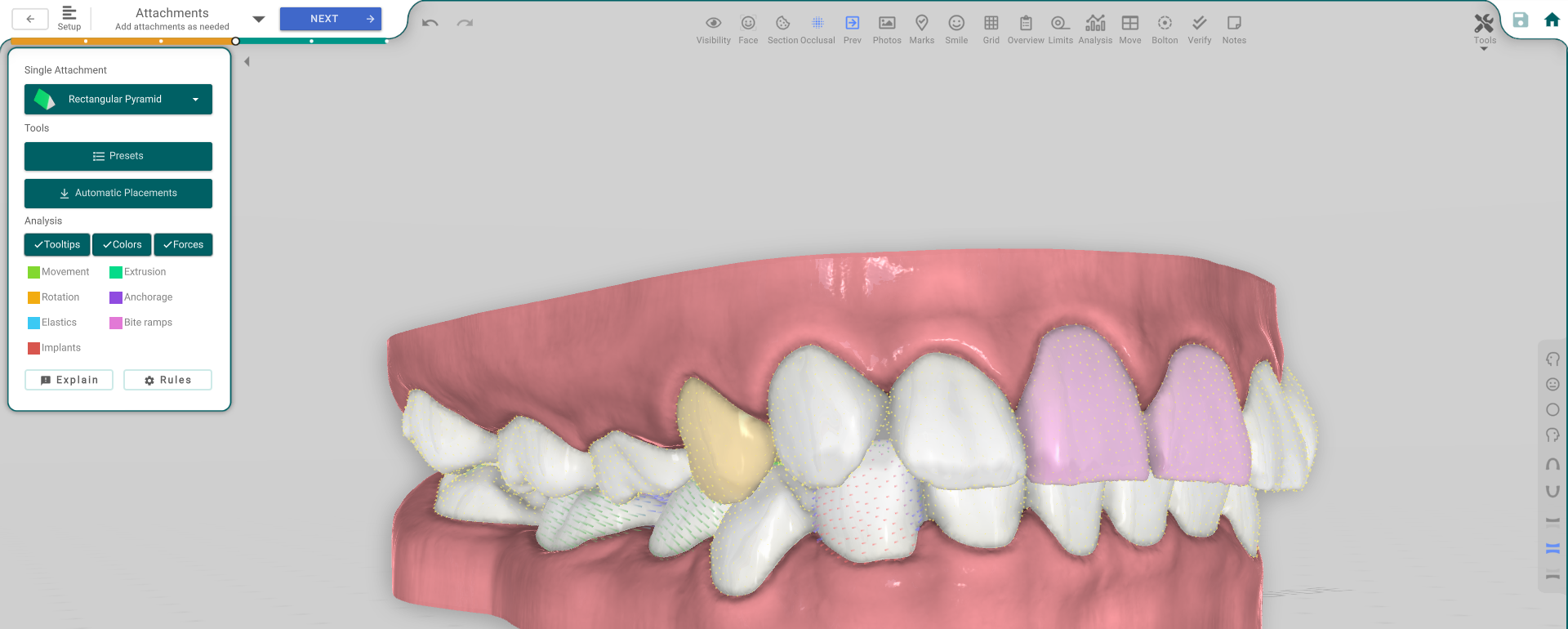
In the 3D View, go to the Attachments step. The Attachment Analysis block is the lower half of the Attachments panel. The teeth must be staged first — the analysis reads the planned movement, so there is nothing to show before the teeth move.
The three toggles
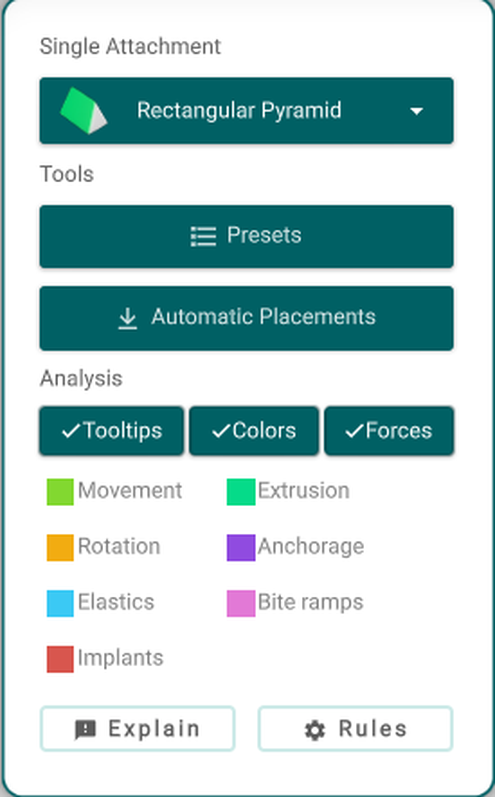
- Colors — paints each tooth with the attachment purpose the analysis found for it.
- Tooltips — shows, on each tooth that needs an attachment, a small card headed "Add Attachments:" listing the movements it found with their amounts — for example "To help Rotation (4°)" or "To help Extrusion (1.2mm)".
- Forces — shows the force-direction arrows on the model.
What the colours mean
Each tooth is painted its single most important purpose:
- Movement — green. The tooth needs to be moved bodily (forward/back or in/out); an attachment helps the aligner grip it.
- Extrusion — teal. The tooth needs to move up or down; an attachment helps the aligner move it vertically.
- Rotation — orange. The tooth needs to be rotated; an attachment gives the aligner something to turn it with.
- Anchorage — purple. The tooth is being used as an anchor — it holds steady while its neighbours move.
- Elastics — blue. An elastic (and its hook or button) is suggested on this tooth.
- Bite Ramps — pink. A bite ramp is suggested, to open the bite.
- Implants — red. The tooth is an implant; it can't move, so no attachment is placed on it.
A tooth can need more than one move, but it is painted a single colour — its most important purpose.
Explain and Rules
Explain opens a report that says why each attachment is suggested.
Rules opens the Attachments Settings, where you set how much movement counts for each purpose (the thresholds) and which attachment is used for each. If Automatic Placements suggests something you don't want, adjust it here.
Good to know
- Automatic Placements and the colours come from the same analysis, so the colours tell you in advance what the automatic placement will do.
- A red tooth is an implant and is left without an attachment on purpose.